
Una plataforma white-label de ticketing te permite vender entradas bajo tu propia marca y dominio en menos de 30 minutos, eliminando el branding externo y fortaleciendo tu identidad comercial. Con Fanz podés configurar tu dominio personalizado, diseño visual, métodos de pago y herramientas de marketing integradas, manteniendo control total sobre las transacciones y la experiencia del usuario. Las funcionalidades de prueba social como notificaciones de compras en tiempo real y badges dinámicos pueden incrementar las conversiones hasta un 18%.
Introduction
In this article, we'll guide you step-by-step through all the necessary configurations so that, in less than 30 minutes, you can have a fully operational white-label ticketing platform. You'll learn how to customize your platform for selling tickets to your events, ensuring everything is ready to offer a smooth and professional purchasing experience to your customers. From choosing a domain to integrating payment functions, we'll cover all essential aspects so you can start selling your events efficiently and successfully.
1. What is a White-Label Ticketing Platform?
A white-label ticketing platform is a complete ticket sales and box office platform that allows event organizers to register and have their own ticket sales website, which can operate under their domain, with their logo and their colors.
Buyers browse, pay, and receive their tickets within your ecosystem, allowing you to sell tickets online without external branding and strengthen your brand.
Fanz provides the technical system: hosting, PCI DSS security, billing, and constant updates, offering an integral solution.
2. Benefits for Organizers and Attendees
For event organizers | For attendees |
|---|---|
Ticketing platform with custom domain (US or global) | Fast purchase from any device |
Ticketing with custom logo and branding | Multiple secure payment methods and exclusive discounts |
Integrated sales and marketing tools | QR ready for Apple & Google Wallet |
0% commission + total control of payments and money optimization | Unified customer service |
3. Prerequisites
Registered domain (e.g., yourevents.com) through Namecheap, GoDaddy, or your preferred registrar, highlighting success stories from these platforms.
Corporate email address (e.g., info@yourevents.com) with IMAP/SMTP access for verification, using appropriate management software.
Logo in SVG/PNG (512 × 512 px) and favicon (32 × 32 px).
Images for desktop banners (1920 × 600 px) and mobile (1080 × 1080 px).
Legal texts: Terms of Service, Privacy Policy, and Refund Policy.
SEO Tip: Rename assets with keywords (e.g., white-label-ticketing-custom-domain-banner.jpg) and use descriptive alt text.
4. Step-by-Step Configuration
Step 1 – Connect Custom Domain
In your Fanz dashboard, navigate to White Label → Domain.
Copy the DNS records (CNAME + TXT) shown.
In your registrar, paste the records and save.
Wait for propagation (5 min – 4 h). Once you see the green ✔️, your custom domain ticketing platform is live with a personalized website.
Important: the domain cannot be changed without opening a support ticket.

Step 2 – Verify Sending Email
Enter the email address from which you want to send tickets.
AWS SES will send a confirmation email; click the link.
When you return to the panel, you'll see the email with Verified status.
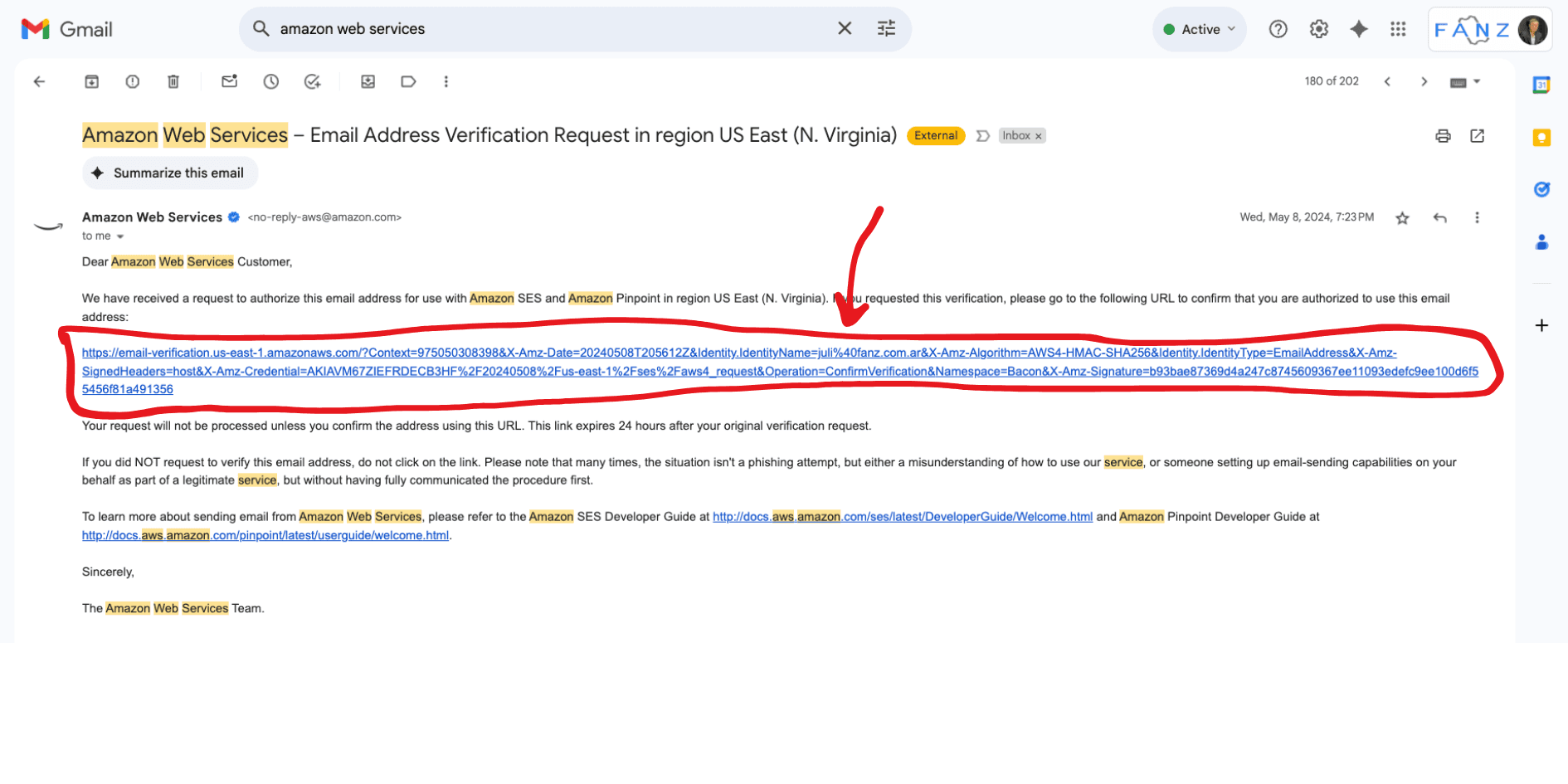
Once you have that ready, the email will be confirmed:
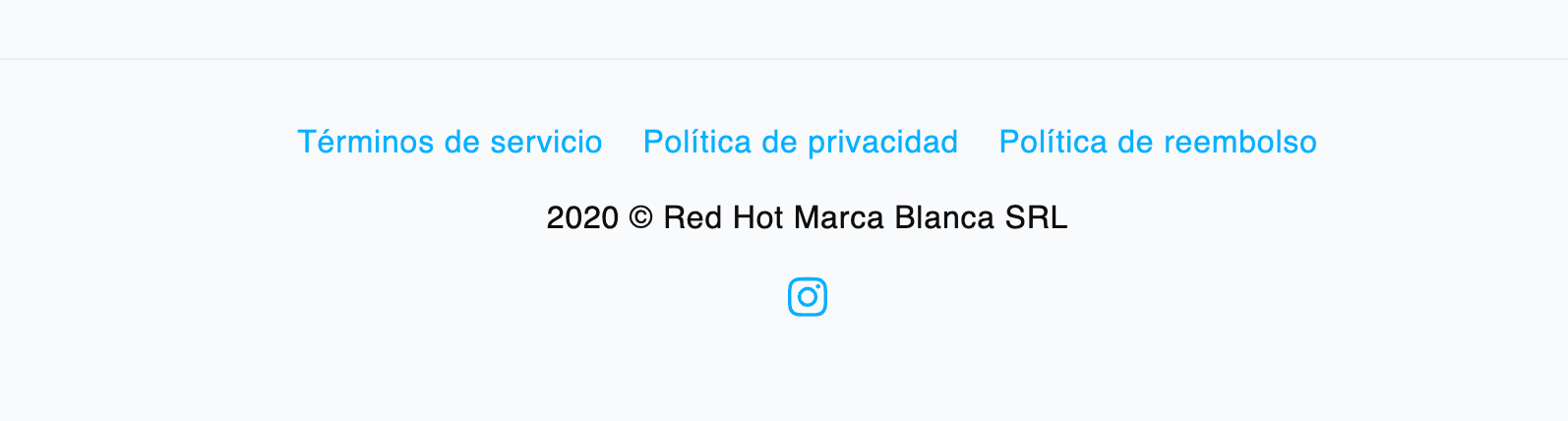
Step 3 – Brand Information and Footer
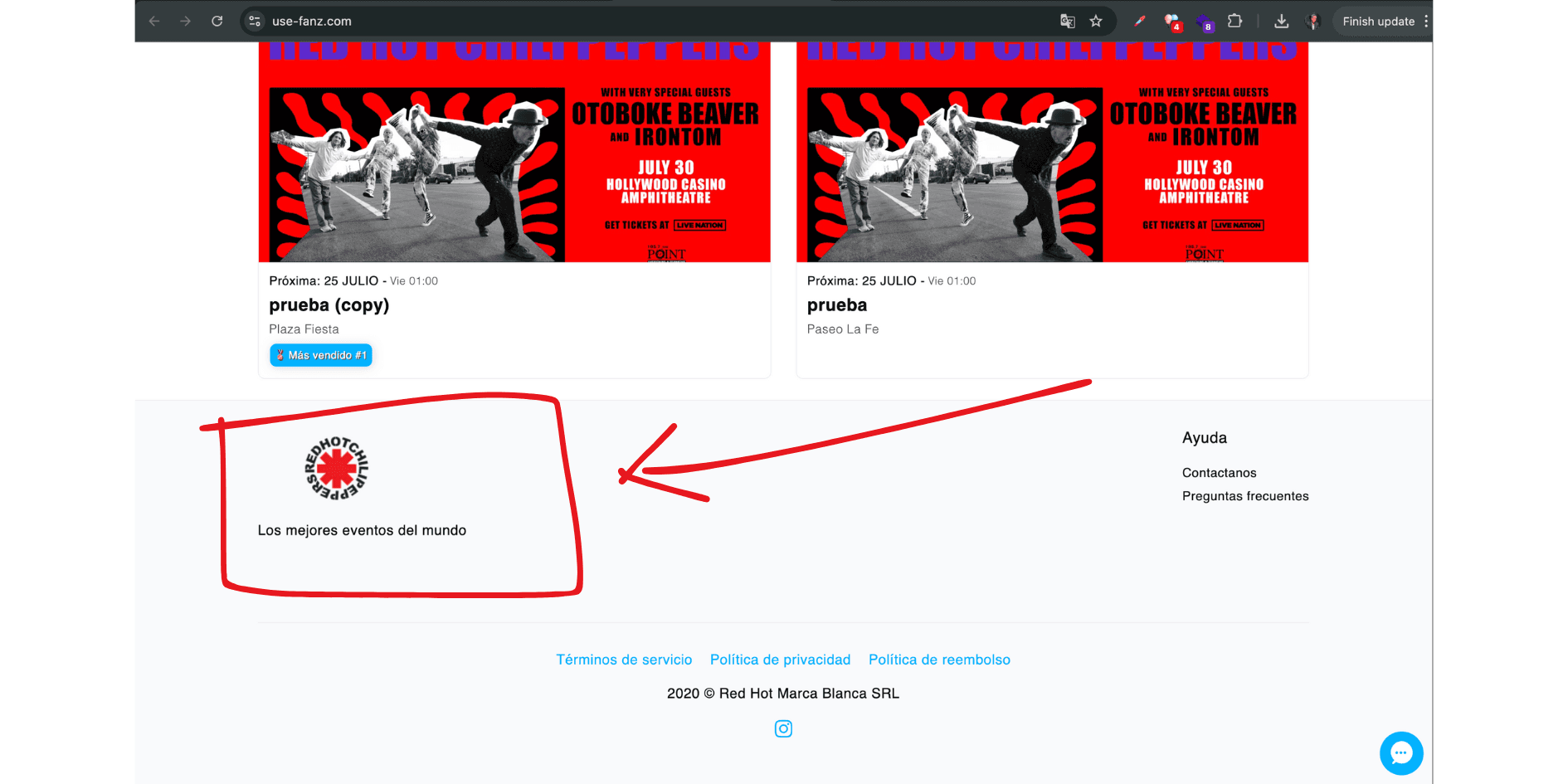
Complete legal name, EIN, business address, and support email. This feeds your footer and electronic invoices. Can be edited at any time.
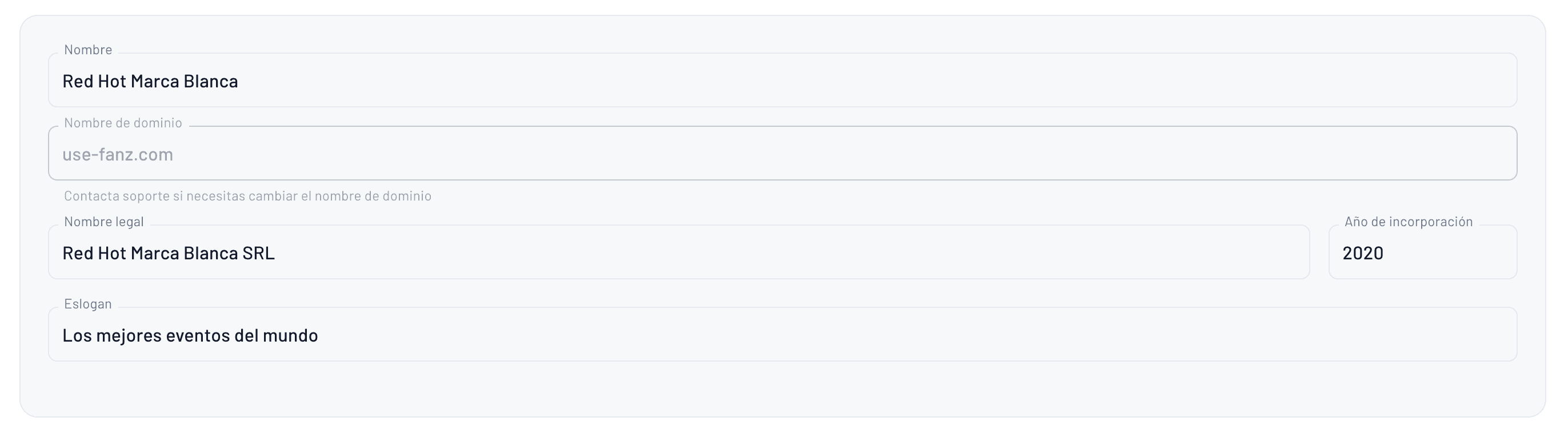
This is how the configuration will appear on the other side in the footer:
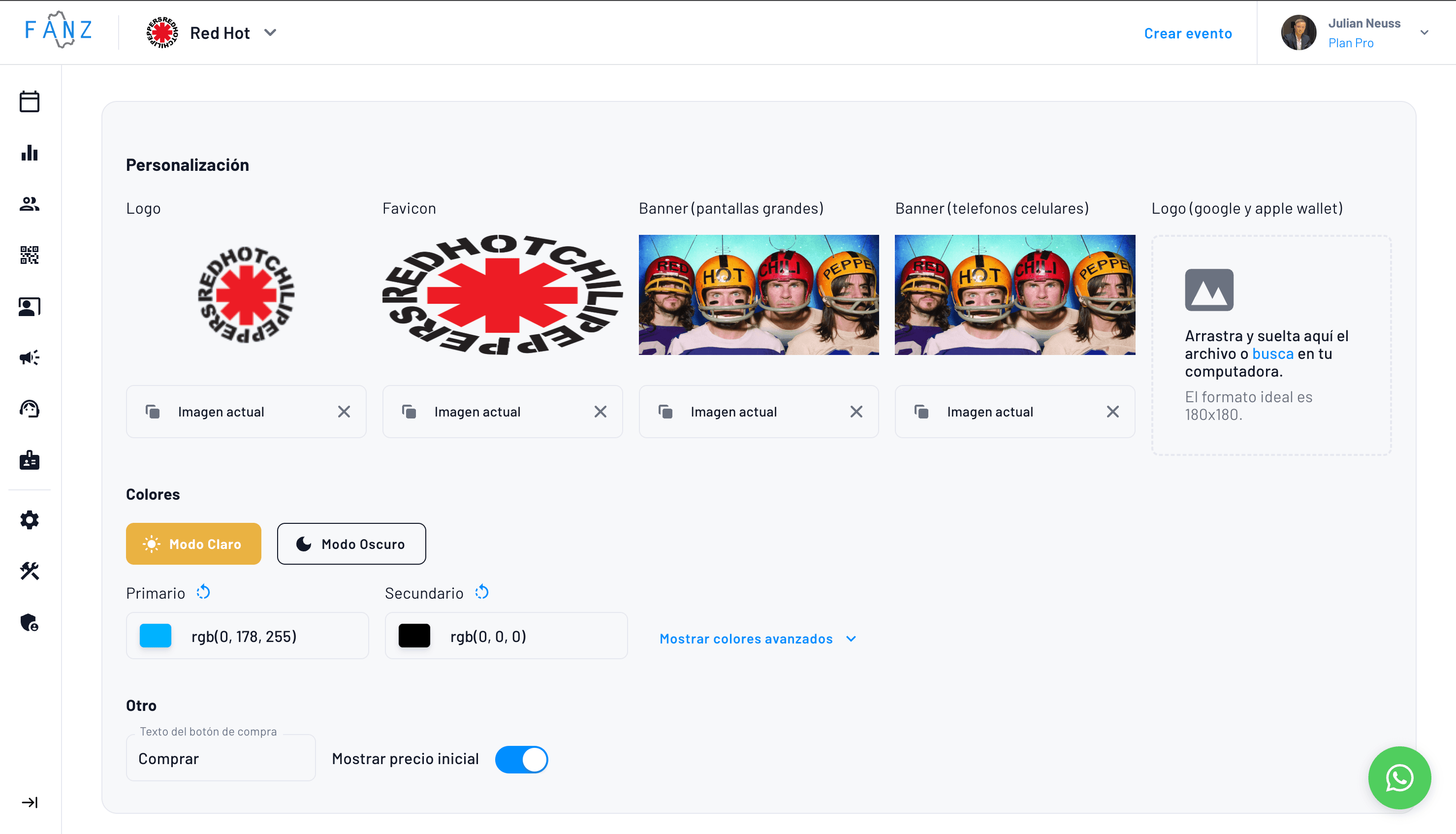
Step 4 – Branding Customization
Element | Recommendation |
|---|---|
Logo | 1:1, SVG preferred for fast loading, 3D environments. |
Favicon | 32×32 px transparent. |
Colors | Use predefined Light or Dark Mode or define primary/secondary (#HEX). |
Wallet pass | Upload white logo (Google/Apple Wallet). |
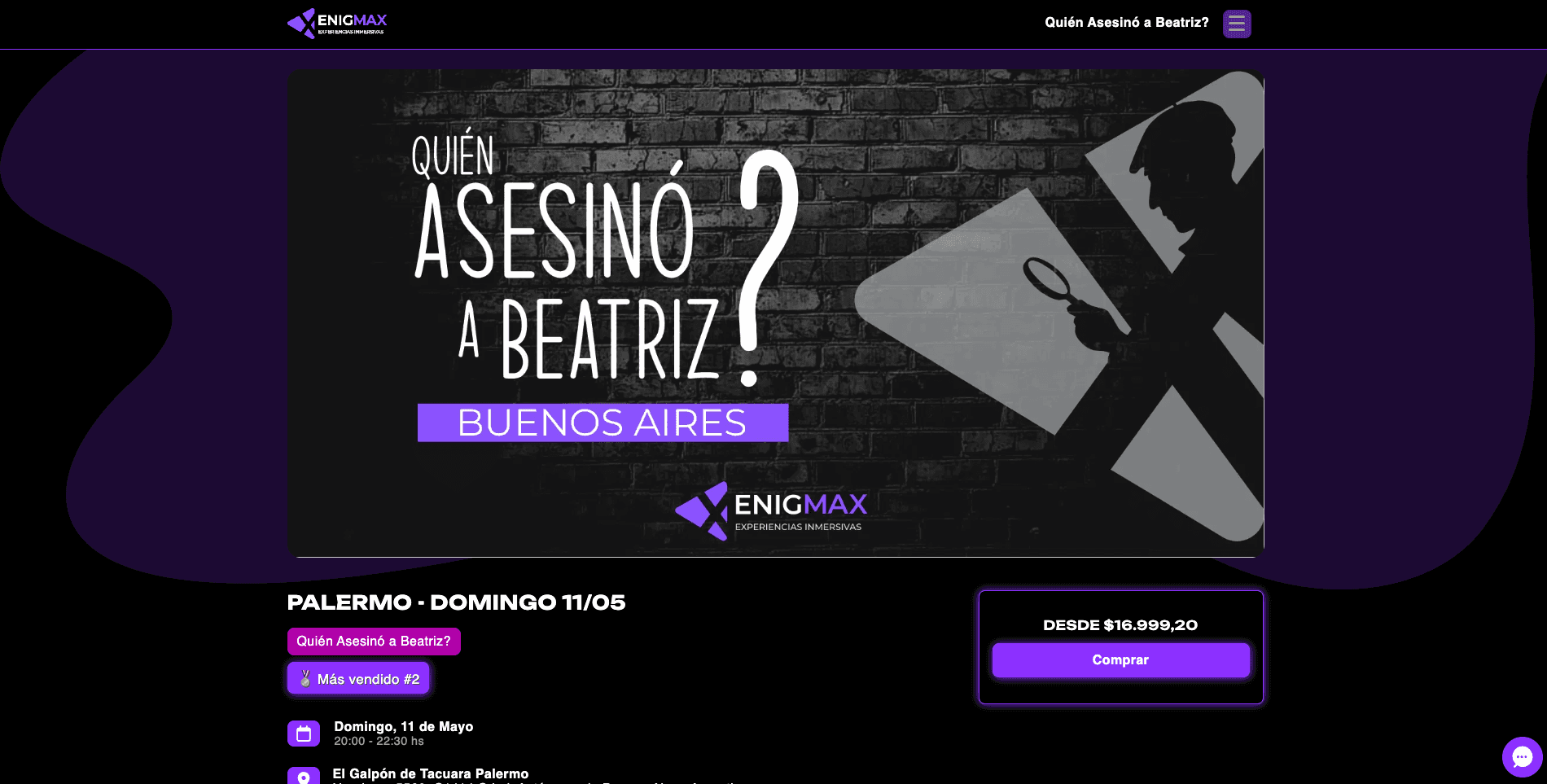
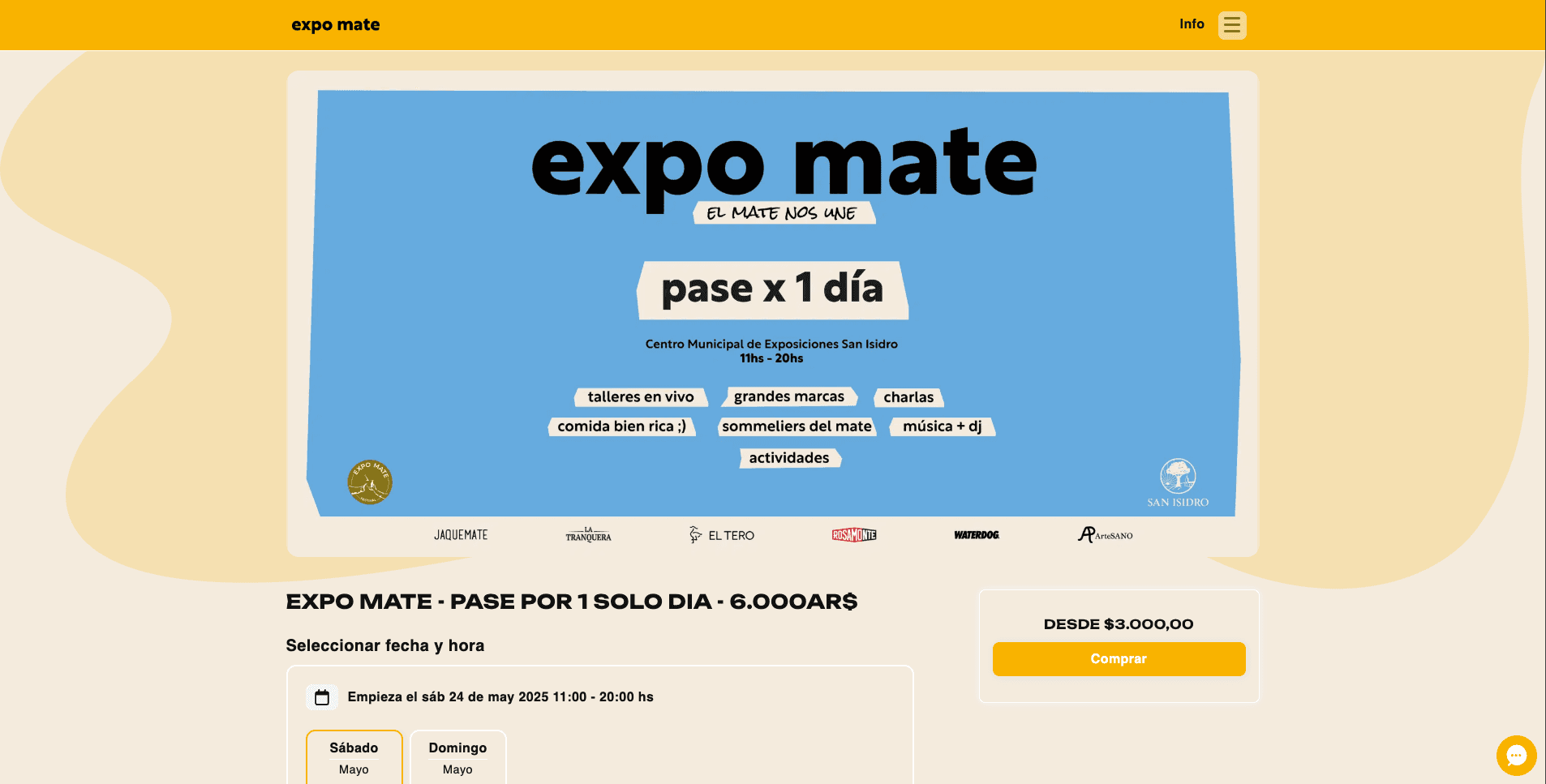
Real-time preview for desktop and mobile, physical space simulation.
Example of the Enigmax website
Example of the Expo Mate website
Step 5 - White Label Details
You can configure and add multiple images to display in your carousel. Additionally, our platform facilitates event organization and offers personalized service for each client. You can add desktop and mobile versions for each image.

Then you can configure the support email information (may not be the same as where you send tickets from)

Form to configure terms and policies:
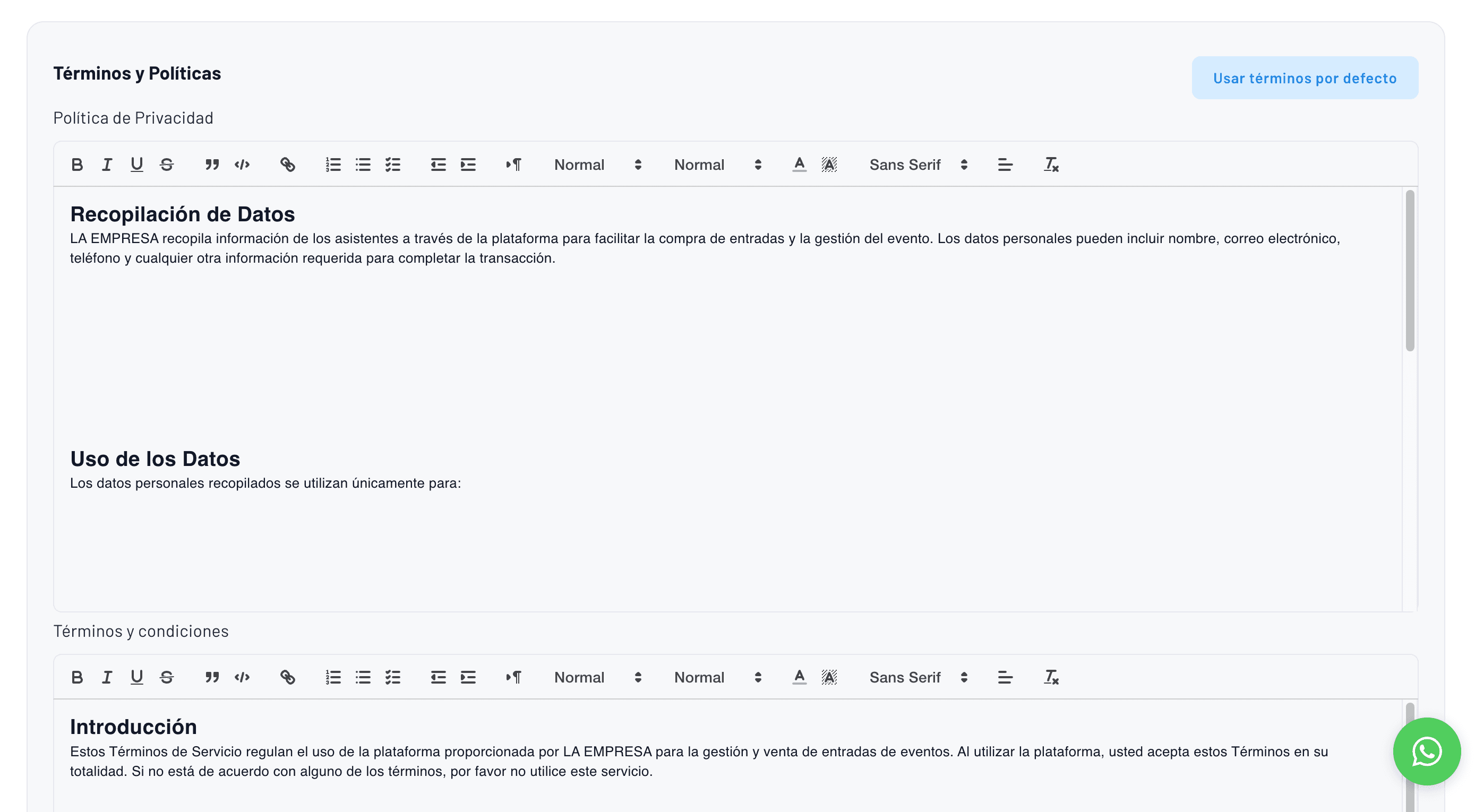
These will be displayed in the footer
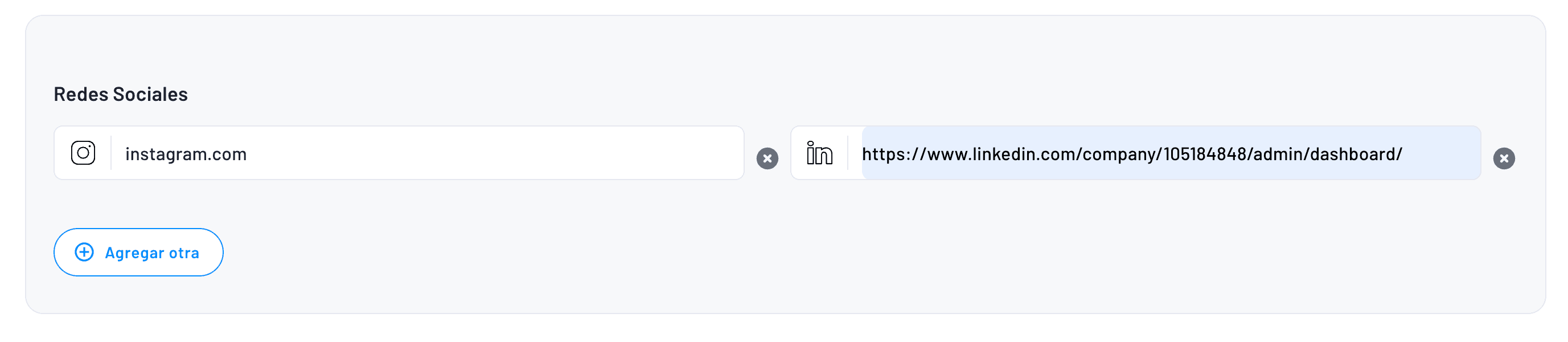
Finally, we have social media
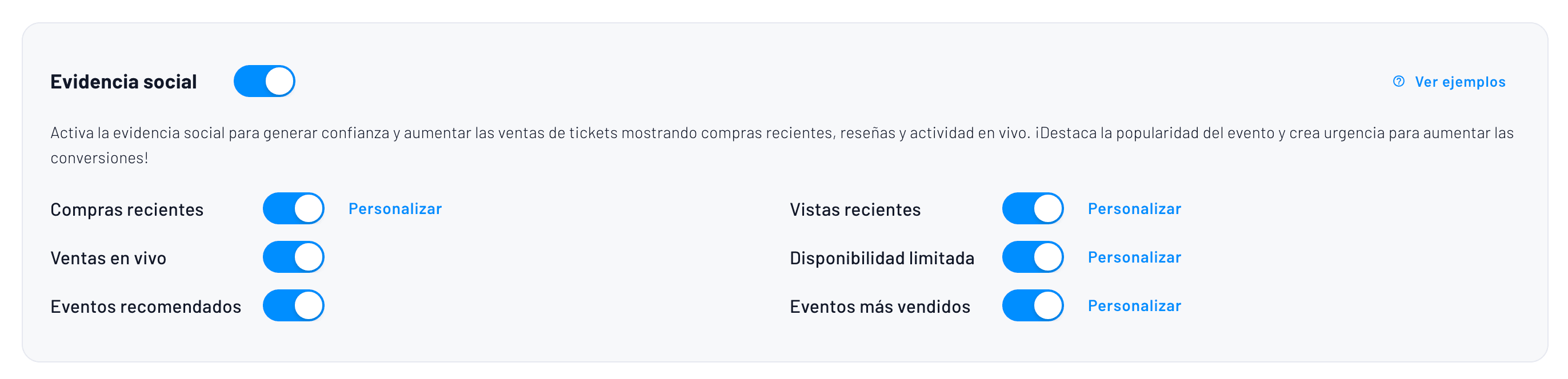
Step 6 - Social Proof
Activate dynamic chips for: recent purchases, live sales, visits per hour, limited availability, and #1 best-selling event thanks to recommendations. Configure thresholds and texts. Average conversion lift measured by Fanz: +18%.
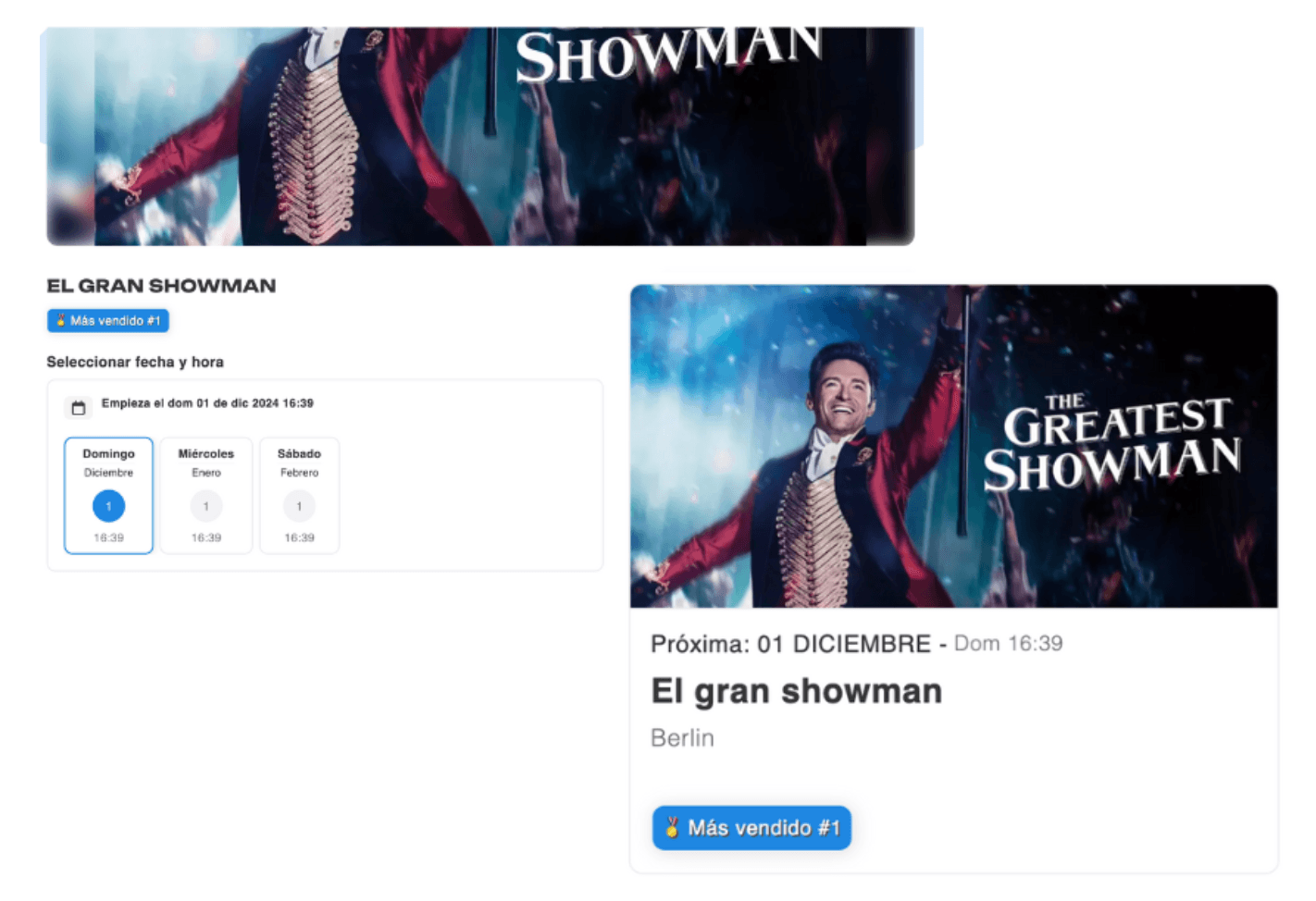
Example of how the "Best Seller #1" event chip looks
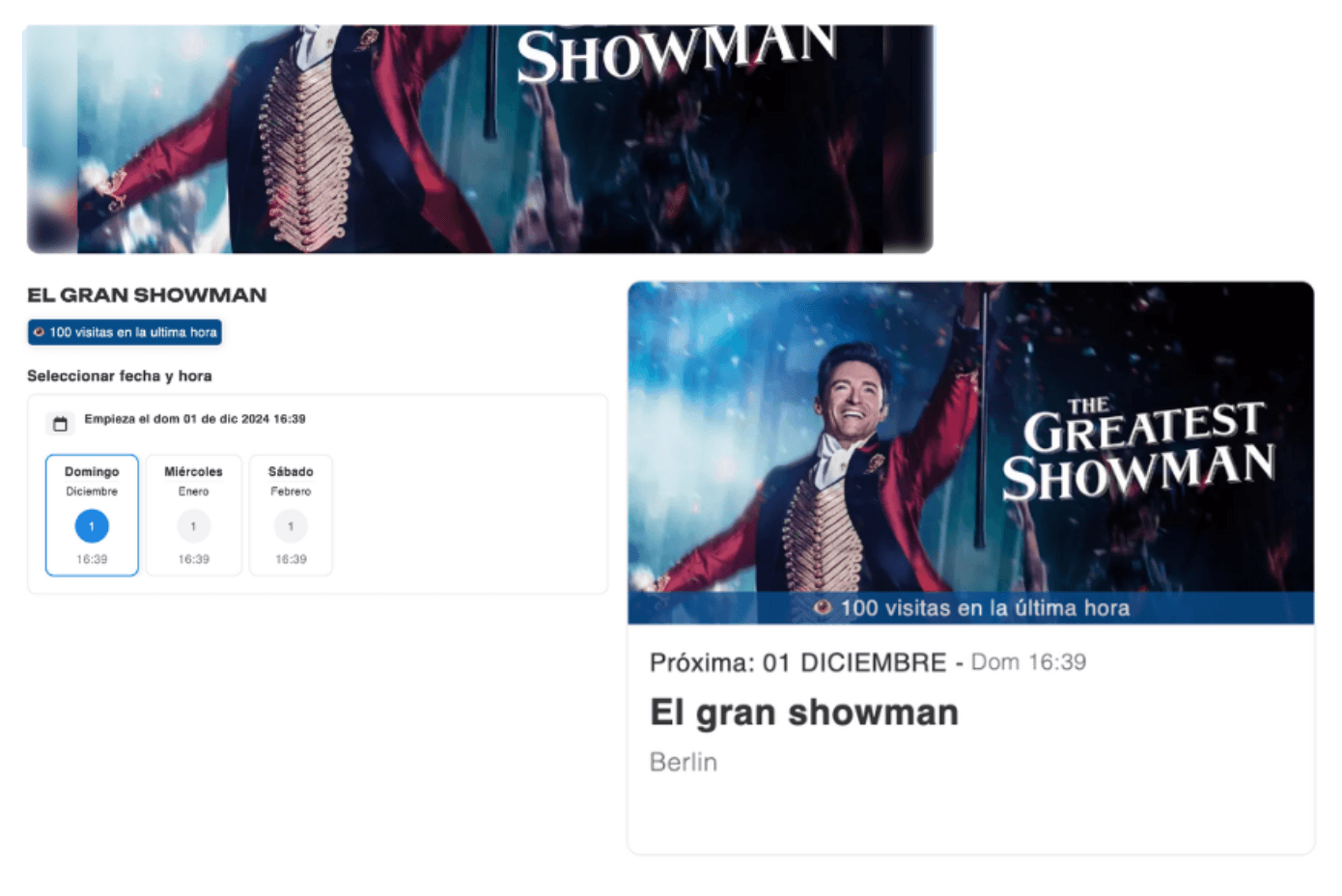
Example of how the hourly visits chip looks, creating urgency for the buyer:
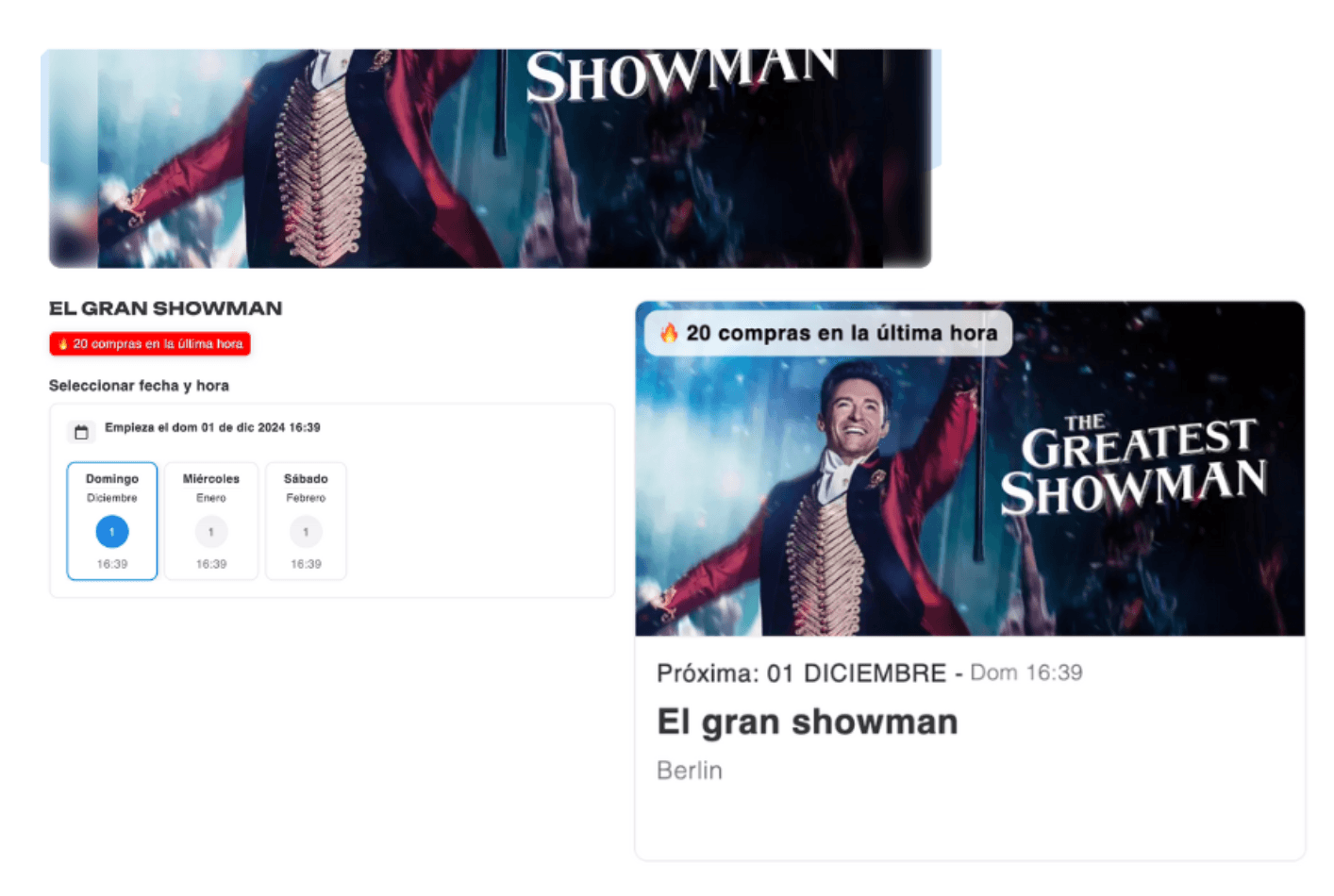
Example of how the hourly purchases chip looks, creating urgency for the buyer:
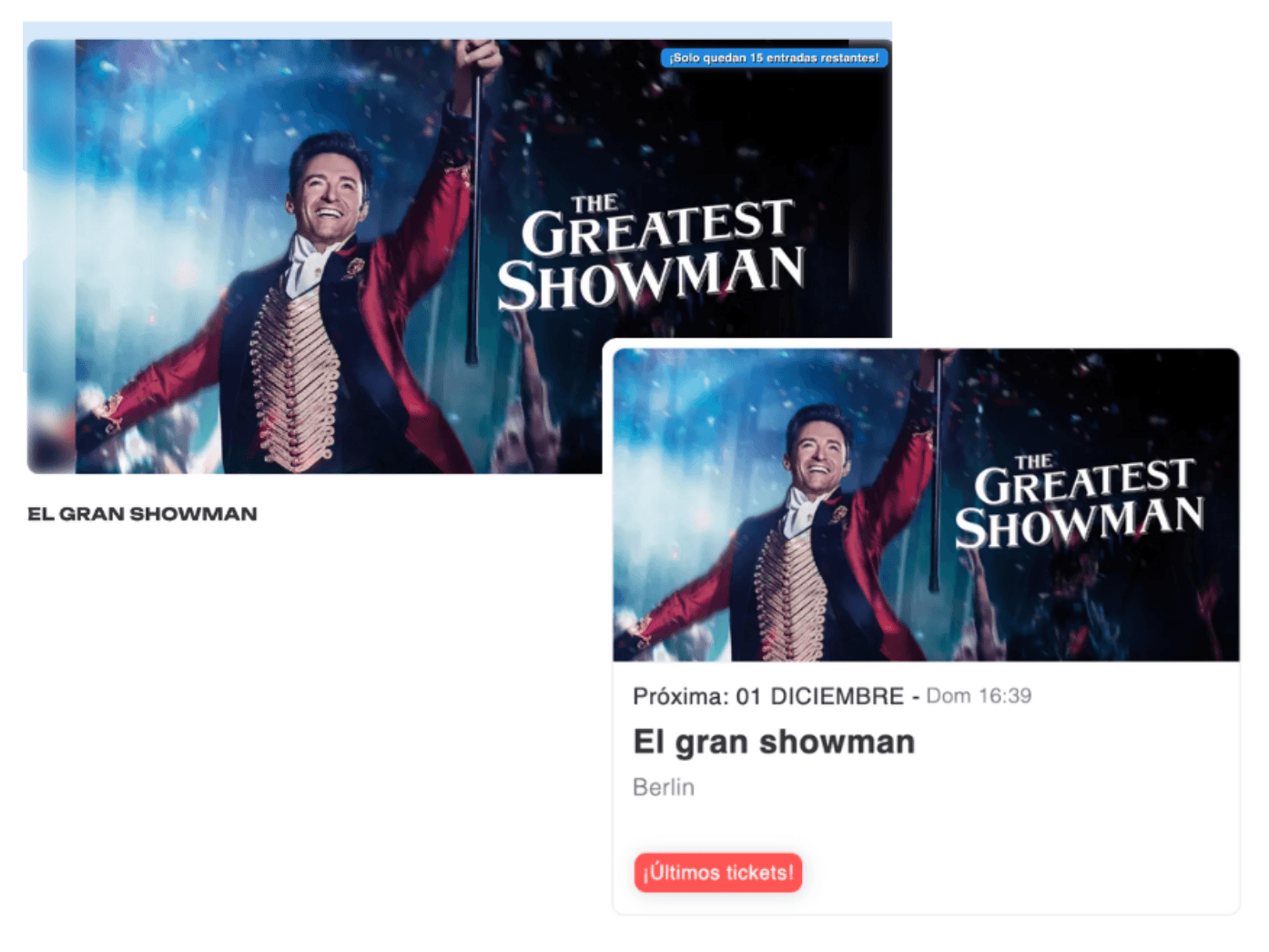
Example of how the last tickets chip looks, creating urgency for the buyer:
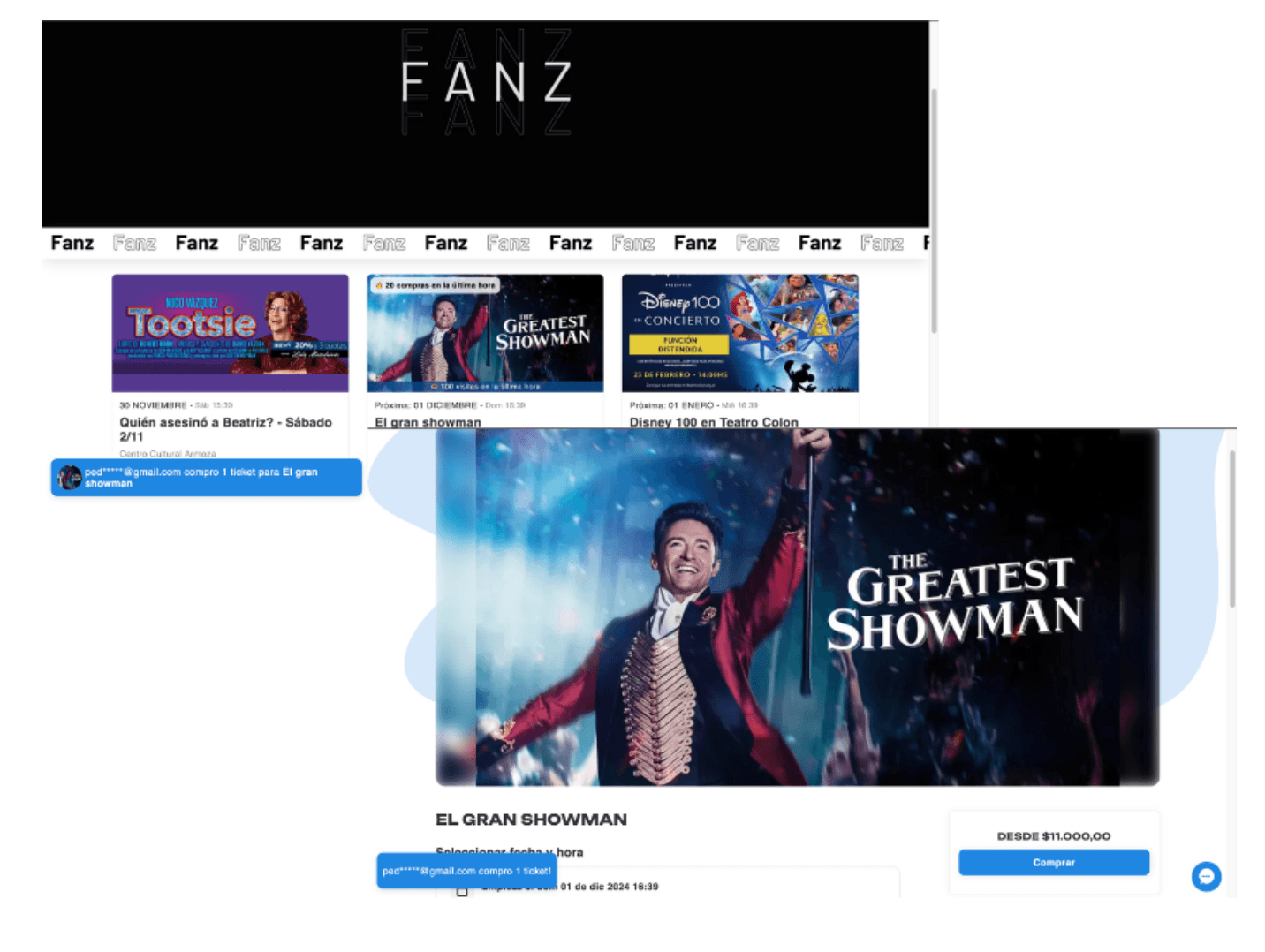
Example of how the notifications look when a user makes a purchase while you're reviewing the event or your company's lineup. You see how people buy in real-time.
Example of the recommended carousel to keep your buyers always in the loop buying more of your products with an all-in-one solution.
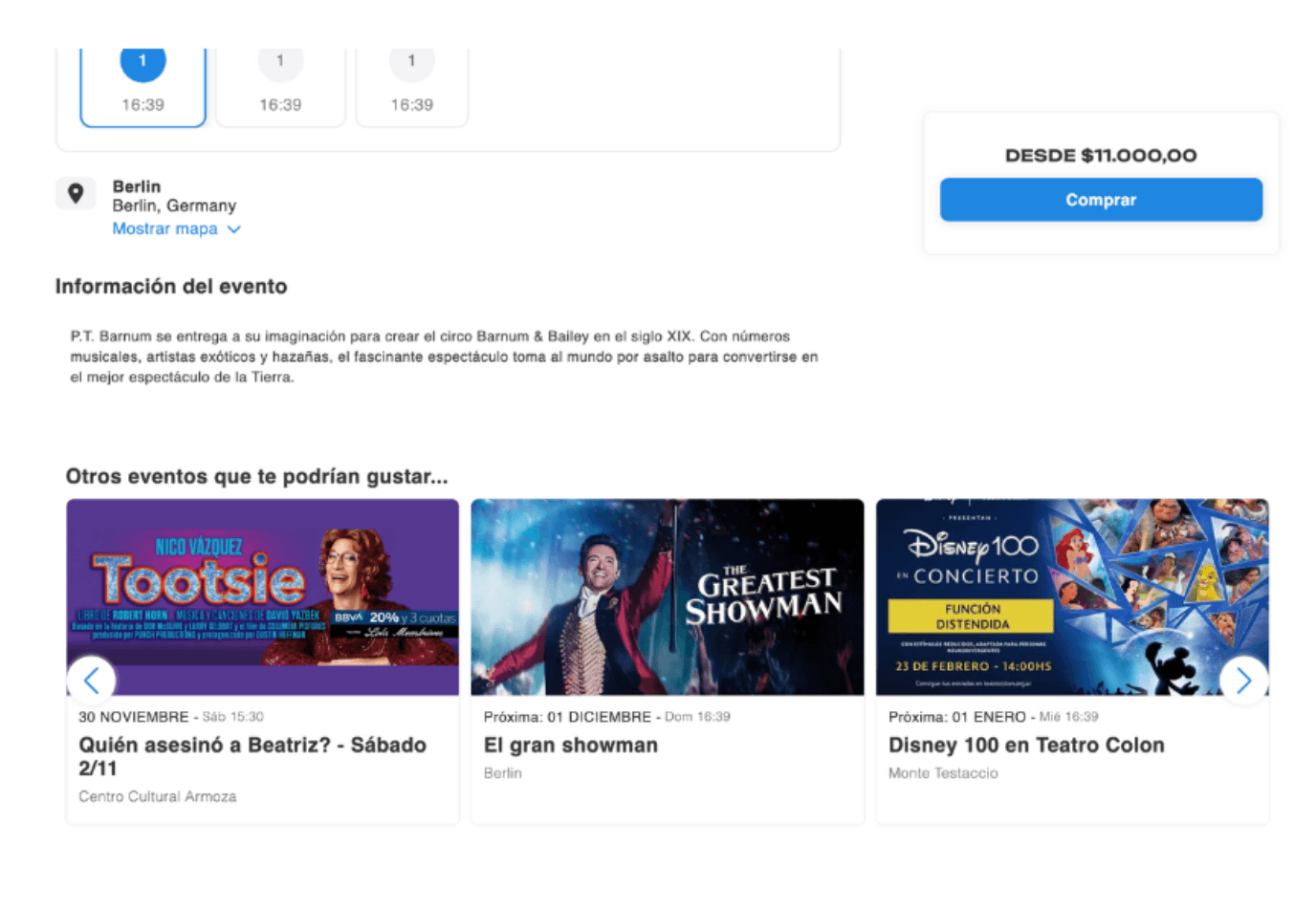
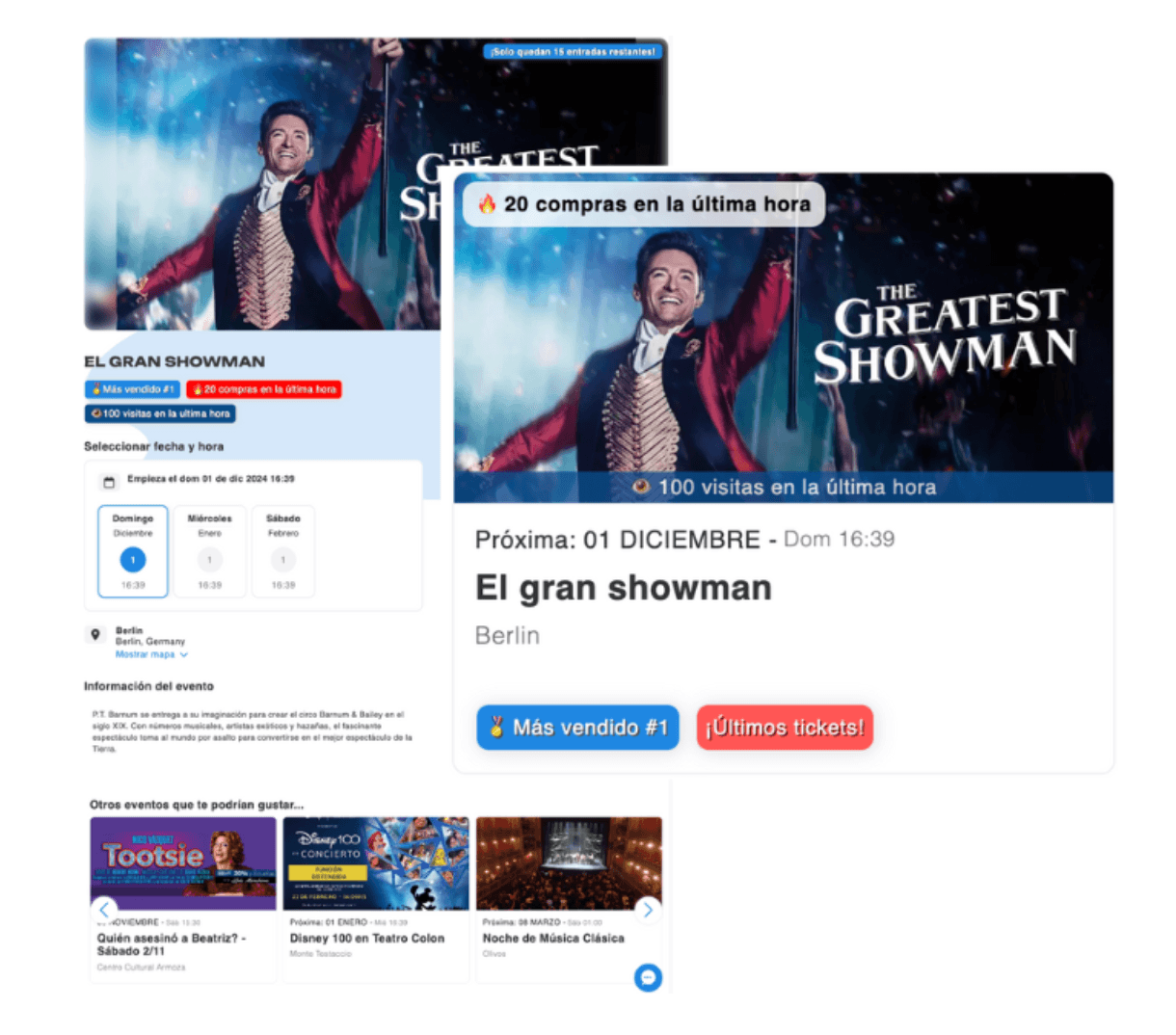
Example of an event card with all social proof badges activated!
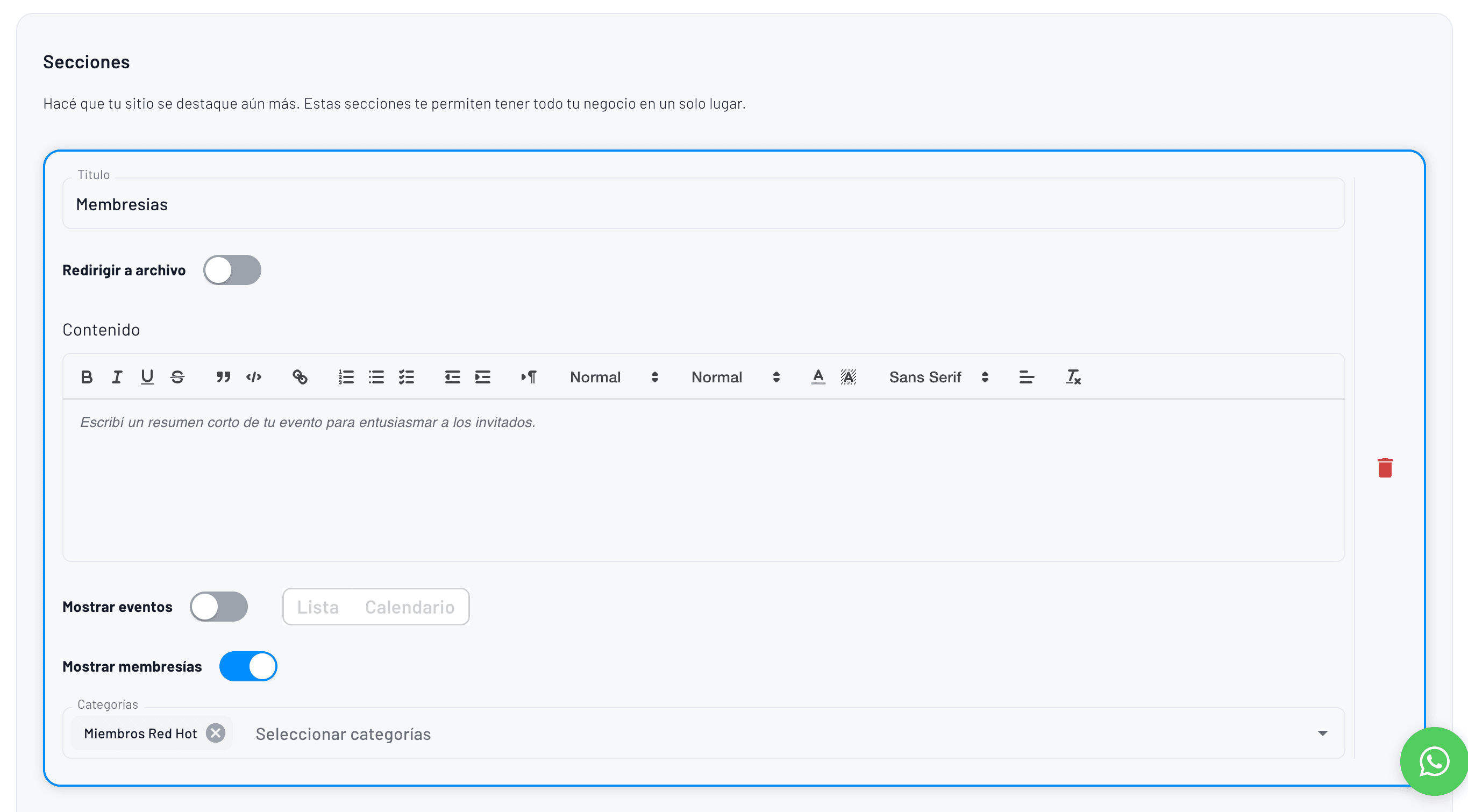
Step 7 - Sections
This is the final part where navigation bar sections are configured.
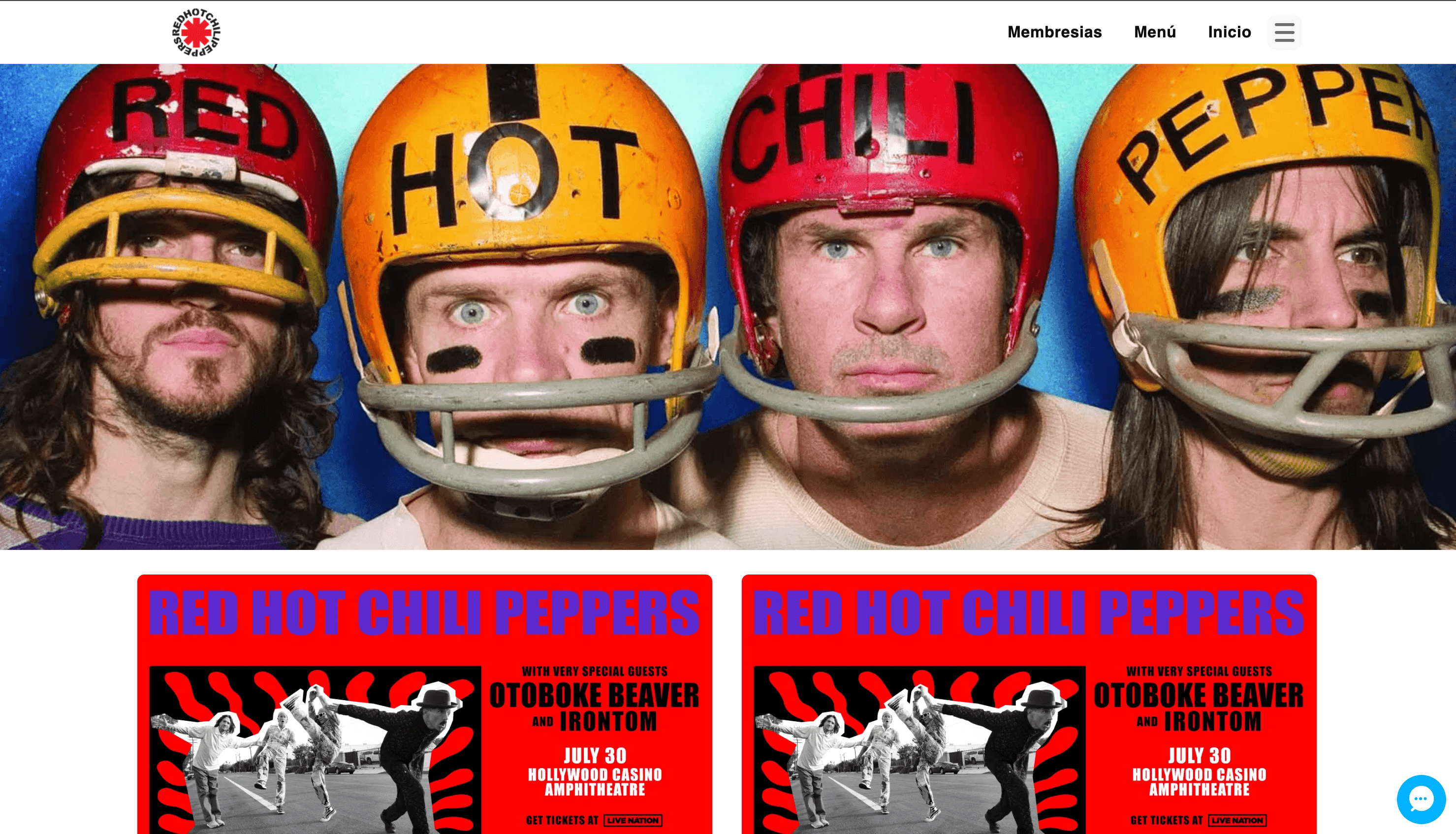
This is how sections are displayed in the top right of the event page on desktop
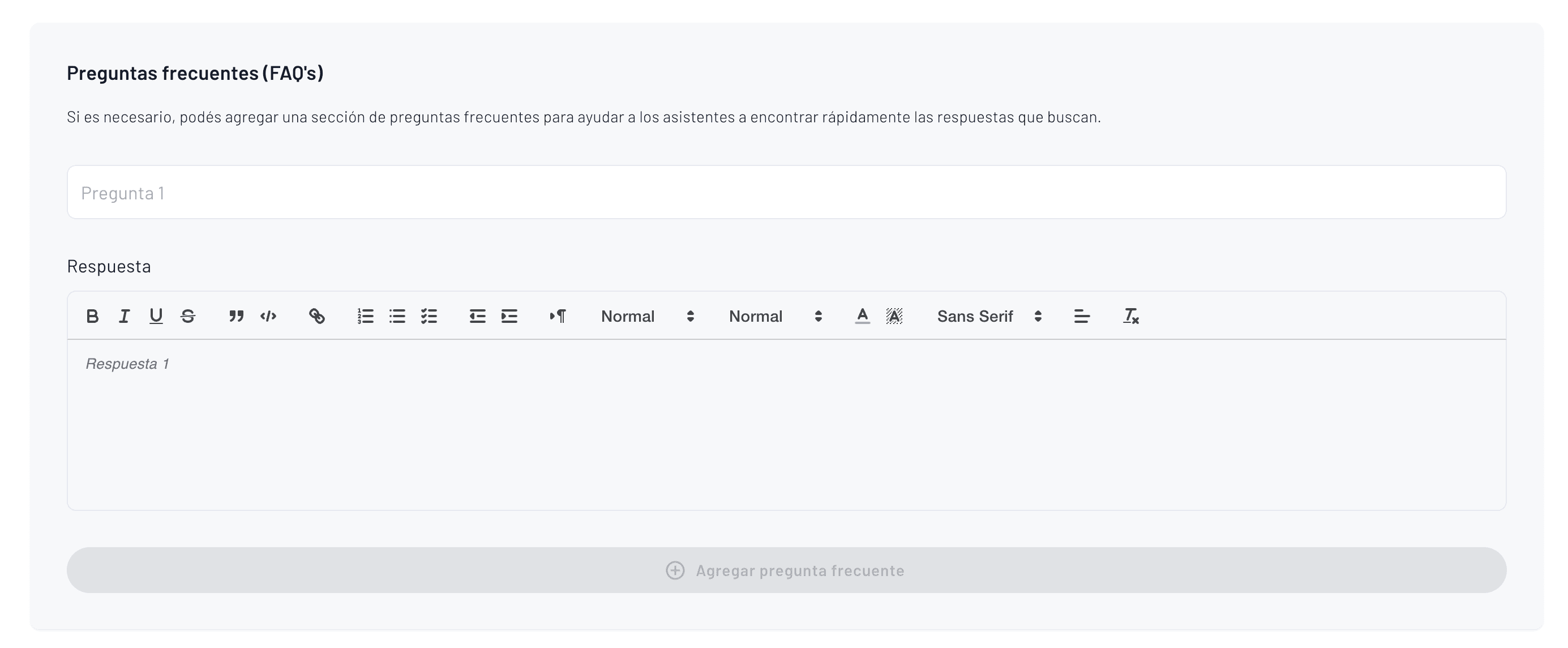
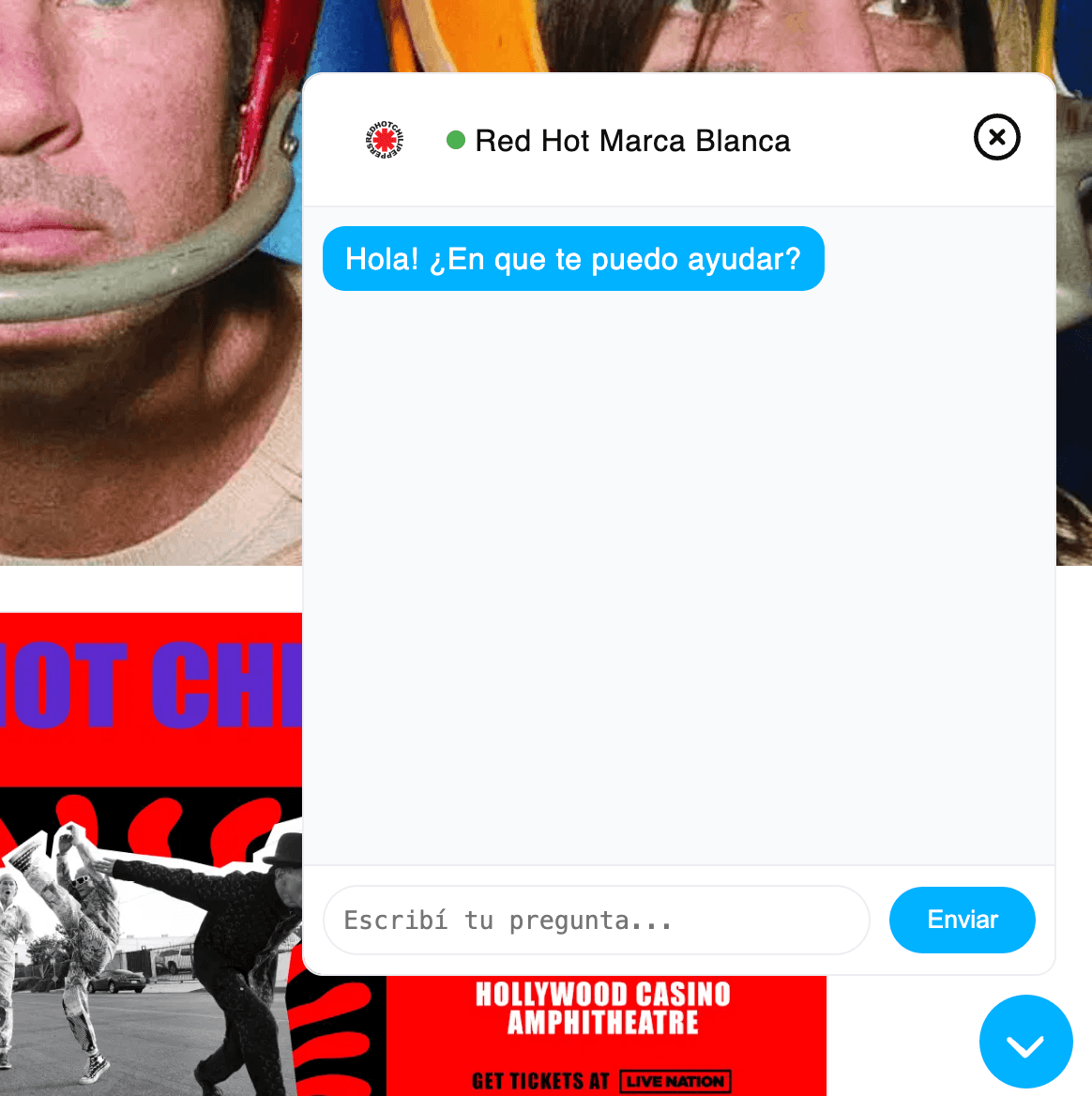
The only remaining item would be configuring the FAQ for the white label. This will feed the artificial intelligence bot that answers questions for all your users.
This is how the AI BOT that answers questions looks
5. Payments and Local Payment Gateways
Controlling payments and transactions within the same system accelerates sales of your events.
Integrate Stripe, credit cards, ACH, or Apple Pay in minutes and automatically reconcile each ticket in your account.
To optimize commissions, review our guide on Stripe payments.
6. Secure Access and Door Control
The access module scans QR tickets in < 0.3 s. Prevents counterfeiting, generates real-time logs, and shows actual attendance without using paper. For more technical details, visit QR code access control.
The university ticketing platform, used by various educational organizations, allows centralized and efficient event management. Additionally, the need to improve event management through efficient systems is highlighted, in contrast to the generalist platforms currently used.
7. Integrated Marketing Tools
Send marketing campaigns via email, SMS, or video to boost sales before, during, and after the event. Prices can vary widely, so it's important to offer competitive pricing to attract more attendees.
Segment customers by previous purchase, location, or device and measure conversions in a single dashboard. Our platform allows organizers to maximize their revenue and have control over their business model.
8. White-Label Ticket Sales Best Practices
Keep HTTPS active (SSL included).
Optimize SEO for each event: slug, meta-description, and keywords.
Use high-quality images for better conversion rates.
Test mobile responsiveness regularly.
Monitor loading speeds and optimize accordingly.
Implement clear refund and transfer policies.
Set up Google Analytics for performance tracking.
Use social proof elements to increase trust.
Regularly update your FAQ section.
Ensure payment security compliance.
¿Qué es una plataforma de ticketing white-label y cómo funciona?
Una plataforma de ticketing white-label es un sistema completo de venta de tickets que permite a los organizadores de eventos tener su propio sitio web de ventas bajo su dominio, con su logo y colores. Los compradores navegan, pagan y reciben sus tickets dentro de tu ecosistema, permitiendo vender tickets online sin branding externo y fortaleciendo tu marca. Fanz proporciona la parte técnica: hosting, seguridad PCI DSS, facturación y actualizaciones constantes, ofreciendo una solución integral.
¿Cuánto tiempo lleva configurar una plataforma white-label completa?
Podés tener una plataforma de ticketing white-label completamente operativa en menos de 30 minutos. El proceso incluye conectar tu dominio personalizado, verificar el email de envío, configurar la información de marca, personalizar los colores y logos, y configurar las herramientas de prueba social. La propagación del DNS puede tomar entre 5 minutos y 4 horas, pero el resto de la configuración es inmediata.
¿Qué beneficios ofrece el ticketing white-label para organizadores de eventos?
Los organizadores obtienen una plataforma de ticketing con dominio personalizado, logo y branding propio, herramientas integradas de ventas y marketing, 0% de comisión con control total de pagos y optimización del dinero. Además, incluye módulo de acceso que escanea tickets QR en menos de 0.3 segundos, previene falsificaciones y genera logs en tiempo real mostrando la asistencia real sin usar papel.
¿Qué elementos necesito preparar antes de configurar mi plataforma white-label?
Necesitás tener un dominio registrado a través de Namecheap, GoDaddy o tu registrar preferido, una dirección de email corporativa con acceso IMAP/SMTP, logo en SVG/PNG de 512x512 px y favicon de 32x32 px, imágenes para banners de escritorio de 1920x600 px y móvil de 1080x1080 px, y textos legales como Términos de Servicio, Política de Privacidad y Política de Reembolsos.
¿Cómo funcionan las herramientas de prueba social en la plataforma white-label?
Las herramientas de prueba social incluyen chips dinámicos que muestran compras recientes, ventas en vivo, visitas por hora, disponibilidad limitada y evento más vendido número 1. Podés configurar umbrales y textos personalizados. Según mediciones de Fanz, estas herramientas generan un aumento promedio de conversión del 18%, creando urgencia y confianza en los compradores.
Tags