El email marketing para eventos funciona cuando seguís un calendario estructurado desde la compra hasta la reactivación, segmentás tu lista según el comportamiento y te enfocás en brindar valor y logística antes que vender constantemente. Empezá con los 7 emails esenciales y después expandí basándote en los resultados: el objetivo no es mandar más emails, sino mandar los correctos que muevan a la gente del interés a la asistencia. Tus eventos merecen una audiencia que llegue emocionada y lista para participar, y el email marketing es cómo construís esa relación, un envío a la vez.
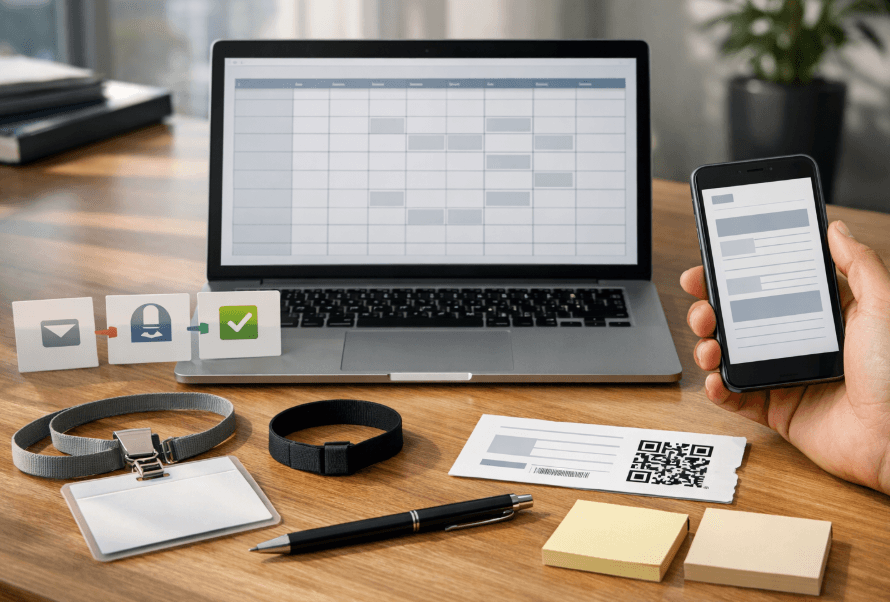
If you organize events and rely solely on social media to communicate with your audience, you're leaving money on the table. Email marketing for events remains one of the highest-ROI channels: it reaches inboxes directly, doesn't compete with algorithms, and can be fully automated end-to-end. In this guide, you'll discover which emails to send, when to send them, what to write, and how to measure results.
In 60 seconds: the 7 minimum emails every event needs
Purchase confirmation — immediate, automated.
7-day reminder — builds anticipation.
24-hour reminder — reduces no-shows.
Day-of-event email — logistical information.
Post-event thank you — closes the experience.
Satisfaction survey — captures feedback.
Next event invitation — reactivates your list.
With these seven well-executed sends, you cover the complete attendee cycle. Everything that follows deepens and scales this foundation.
Recommended send calendar (copy and paste)
Adapt this table based on your event type and advance selling timeline.
Timing | Objective | Segment | KPI | |
|---|---|---|---|---|
Purchase (immediate) | Confirmation + ticket | Build trust | Buyers | Open rate |
48h post-purchase | Cross-sell / upgrade | Increase average ticket | Recent buyers | Click rate |
30 days before | Early bird launch | Early urgency | Interested leads | Conversions |
14 days before | Content (lineup, agenda) | Build anticipation | General list | Open rate |
7 days before | Reminder + practical info | Reduce no-shows | Confirmed attendees | Open rate |
24h before | Attendee checklist | Minimize inquiries | Confirmed attendees | Open rate |
Day of event | Access + schedules | Facilitate entry | Confirmed attendees | Click rate |
24–48h post | Thank you | Close experience | Attendees | Open rate |
5–7 days post | Survey + content | Feedback and retention | Attendees | Response rate |
15–30 days post | Next event invitation | Reactivate | Entire list | Conversions |
Tip: This event email calendar is a baseline guide. If you're selling months in advance, add nurturing emails every 2–3 weeks.
The 10 emails that work best for events
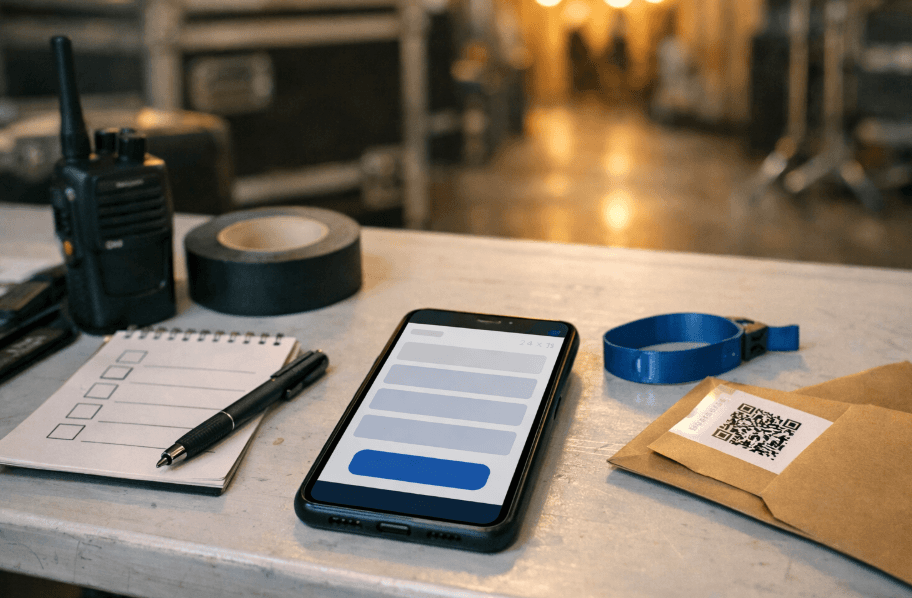
1. Purchase confirmation
What it achieves: Builds immediate trust. This is the highest-opening email in your entire sequence. When: Immediately after transaction (automated). Must include:
Complete details: event name, date, time, location, ticket quantity.
Access instructions (QR, PDF, link).
Organizer contact information.
Common mistakes:
Generic email without event details, generating unnecessary inquiries.
Not including the ticket or download link.
Subject lines: "Your ticket for [Event] is confirmed ✓" · "All set! Here's your ticket" · "Purchase confirmation — [Event], [Date]"
2. Cross-sell or upgrade
What it achieves: Increases revenue per buyer (VIP, meet & greet, merchandise). When: 24–48 hours post-purchase. Must include:
Specific upgrade options with clear benefits.
Limited-time incentive.
Direct CTA to purchase page.
Common mistakes:
Generic upgrades unrelated to what they bought.
Sending too late when enthusiasm has waned.
Subject lines: "Want to experience [Event] VIP?" · "Upgrade your experience — 48h offer" · "VIP upgrade available for [Event]"
3. Launch or early bird
What it achieves: Drives initial sales with real urgency. When: Sales opening or 30–45 days before. Must include:
Opening date and time.
Real scarcity condition (limited capacity or timeframe).
Direct link to online ticket sales.
Common mistakes:
False urgency ("last tickets" when just starting).
Not segmenting: sending the same message to existing buyers.
Subject lines: "Presale now open — [Event]" · "Early bird tickets with discount: only [X] available" · "Ticket sales are live 🎟️"
4. Content and anticipation
What it achieves: Maintains interest and reduces cancellations. When: 10–14 days before. Must include:
Real news: artists, schedule, activities.
Visual content (flyer, video, past event photos).
Share-with-friends link.
Common mistakes:
Empty content without concrete updates.
Overwhelming inboxes with excessive sends.
Subject lines: "What awaits you at [Event]: full lineup" · "New confirmation for [Event] 🔥" · "Everything you need to know before attending"
5. 7-day reminder
What it achieves: Reactivates those who bought weeks ago. Key to reducing no-shows. When: 7 days before. Must include:
Date, time, address with map link.
Practical info: parking, transportation, entrances.
Ticket reminder.
Common mistakes:
Repeating confirmation without adding value.
Not including logistical information.
Subject lines: "One week until [Event]!" · "Reminder: [Event] is [Date]" · "Your checklist for [Event]"
6. 24-hour reminder
What it achieves: Final push. Minimizes inquiries and reduces no-shows. When: 24 hours before. Must include:
Door opening time.
What to bring and what's not allowed.
Quick access to digital ticket.
Common mistakes:
Including promotions instead of useful information.
Not sending it (very common error; then dozens of inquiries arrive).
Subject lines: "Tomorrow's the day — everything you need to know" · "[Event] is tomorrow: schedule and access" · "See you tomorrow 🎶"
7. Day-of-event email
What it achieves: Facilitates entry and improves experience. When: 2–4 hours before doors open. Must include:
QR or digital ticket in visible format.
Updated schedule and map.
Last-minute changes.
Common mistakes:
Sending too early (gets lost in inbox).
Not optimizing for mobile.
Subject lines: "Today is [Event] — your ticket here" · "It's showtime! Quick access 📲" · "Your QR to enter [Event]"
8. Post-event thank you
What it achieves: Closes the emotional cycle. Good closure increases repeat purchases. When: 24–48 hours after. Must include:
Genuine, brief thanks.
Photo gallery or video recap.
Social media follow invitation.
Common mistakes:
Not sending it (most common).
Turning it into aggressive next-event sales.
Subject lines: "Thanks for being part of [Event]" · "Best photos — see how amazing it was" · "Thank you, [Name]. It happened because of you."
9. Survey and feedback
What it achieves: Qualitative data to improve and identify promoters. When: 5–7 days post-event. Must include:
Brief survey (maximum 5 questions).
Incentive (discount, exclusive content).
Direct link to form.
Common mistakes:
Long surveys nobody completes.
Not using responses afterward.
Subject lines: "How was it? Tell us in 2 minutes" · "Your feedback + gift 🎁" · "Help us improve — quick survey"
10. Reactivation and next event invitation
What it achieves: Closes the event remarketing loop. Converts attendees into repeat customers. When: 15–30 days post or when next date is confirmed.datos de compradores de tickets para reactivar tu lista Must include:
Announcement with date and venue.
Exclusive benefit for past attendees.
Direct purchase CTA.
Common mistakes:
Waiting too long and losing emotional momentum.
Not differentiating between attendees and no-shows.
Subject lines: "Next [Event] has a date" · "Early access to next [Event]" · "We're back 🔜 New date"
Practical segmentation: 6 segments that matter
You don't need a complex CRM. With these six segments, you personalize enough for each event email to have impact.
Segment | Key Message | Objective |
|---|---|---|
Confirmed buyers | Logistical info, reminders | Reduce no-shows |
Leads who didn't buy | Urgency, social proof | Convert |
VIP / frequent buyers | Early access, benefits | Build loyalty |
Past attendees | Nostalgia + novelty | Reactivate |
Registered inactive users | Re-engagement with content | Recover or clean |
Referrals / invitees | Welcome + context | Nurture new leads |
Regularly review your event KPIs to adjust each segment based on real data.estrategias de marketing para eventos
Event email marketing metrics: what to measure and decide
Metric | What it means | What decision to make |
|---|---|---|
Open rate | Percentage who opened the email | Low → review subject line, timing, and sender |
Click rate (CTR) | Percentage who clicked | Low → improve CTA, design, and relevance |
Conversion rate | Completed action (purchase, registration) | Low → review landing page, offer, and consistency |
Bounce rate | Emails not delivered | High → clean list and review acquisition |
Unsubscribe rate | Unsubscriptions | High → review frequency and relevance |
Spam rate | Marked as spam | High → review consent and content (critical signal) |
Best practice: Look at the complete funnel: open → click → conversion. High opens with low clicks indicate the subject promises something the content doesn't deliver.
Deliverability and consent checklist
✅ Explicit subscriber consent (opt-in).
✅ Visible unsubscribe link in every email.
✅ Authenticated domain (SPF, DKIM, DMARC).
✅ Regular list cleaning (remove bounces, inactives).
✅ Consistent sending frequency.
✅ Mobile-optimized design.
✅ Clear sender name and reply address.
✅ Avoid spam trigger words in subject lines.
4 ready-to-use email templates
Template 1: Purchase confirmation
Subject: Your [Event Name] ticket is confirmed ✓
Body:
Hi [Name],
You're all set for [Event Name]!
Event Details:
📅 [Date] at [Time]
📍 [Venue Name], [Address]
🎟️ [Ticket Type] × [Quantity]Your digital ticket is attached. Save it to your phone or take a screenshot for quick access.
Payment processed: $[Amount] via [Payment Method]
Confirmation #: [Order Number]Questions? Reply to this email or text us at [Phone].
Can't wait to see you there!
[Organizer Name]
Template 2: 24-hour reminder
Subject: Tomorrow's the day — everything you need for [Event]
Body:
Hi [Name],
[Event Name] is TOMORROW! Here's everything you need:
📍 Location & Timing:
Doors open: [Time]
Show starts: [Time]
[Venue], [Address]
[Parking/Transportation info]🎟️ Your Ticket:
Have your QR code ready on your phone
[Ticket Link/QR Code]✅ What to Bring:
• Valid ID
• Your ticket (digital or printed)
• Cash for drinks/merch❌ Leave at Home:
• Outside food/drinks
• Professional cameras
• [Other restrictions]Weather forecast: [Weather] — dress accordingly!
See you tomorrow 🎶
[Organizer]
Template 3: Post-event thank you
Subject: Thanks for making [Event] incredible
Body:
Hi [Name],
What a night! Thank you for being part of [Event Name]. Your energy made it unforgettable.
Check out these amazing moments we captured:
[Photo Gallery Link]
Want to relive the experience?
Follow us for behind-the-scenes content:
Instagram: @[handle]
TikTok: @[handle]Tag us in your photos with #[EventHashtag] — we're sharing the best ones!
Already missing it? Don't worry, we're planning something even bigger. Stay tuned...
With gratitude,
[Organizer]P.S. Your friends looked jealous on social media 😉 Next time, bring them along!
Template 4: Next event announcement
Subject: We're back 🔥 [Next Event] announced
Body:
Hi [Name],
Remember how amazing [Past Event] was? We're doing it again!
[Next Event Name]
📅 [Date]
📍 [Venue]
🎵 Featuring [Headliner/Key Info]Exclusive early bird for past attendees:
Get your tickets now for just $[Price] (reg. $[Regular Price])
Only 48 hours — ends [Date] at midnight[Buy Tickets Button]
What's new this time:
• [New feature 1]
• [New feature 2]
• [New feature 3]Tickets are limited and we sold out last time, so don't wait!
Ready to make more memories?
[Organizer]P.S. Share this with friends — they'll thank you later!
Key takeaways
Email marketing for events works when you:
Follow a structured calendar from purchase to reactivation.
Segment your list based on behavior, not demographics.
Focus on value and logistics over constant selling.
Measure the right metrics and act on the data.
Build trust through consistent, helpful communication.
Start with the 7 essential emails, then expand based on your results.guía definitiva de marketing para eventos The goal isn't to send more emails — it's to send the right emails that move people from interest to attendance to advocacy.
Your events deserve an audience that shows up excited and ready to participate. Email marketing is how you build that relationship, one send at a time.
¿Cuáles son los 7 emails mínimos que necesita todo evento para ser exitoso?
Todo evento necesita estos 7 emails esenciales: confirmación de compra (inmediato y automatizado), recordatorio de 7 días (genera expectativa), recordatorio de 24 horas (reduce inasistencias), email del día del evento (información logística), agradecimiento post-evento (cierra la experiencia), encuesta de satisfacción (captura feedback) y invitación al próximo evento (reactiva tu lista). Con estos siete envíos bien ejecutados, cubrís el ciclo completo del asistente.
¿Cuándo debo enviar el email de recordatorio de 24 horas para mi evento?
El email de recordatorio de 24 horas debe enviarse exactamente 24 horas antes del evento y debe incluir la hora de apertura de puertas, qué traer y qué no está permitido, y acceso rápido al ticket digital. Este email es clave para minimizar consultas y reducir inasistencias. Un error muy común es no enviarlo, lo que genera decenas de consultas de último momento.
¿Cómo segmento mi lista de emails para eventos de manera efectiva?
Podés usar estos 6 segmentos clave: compradores confirmados (info logística y recordatorios para reducir inasistencias), leads que no compraron (urgencia y prueba social para convertir), VIP/compradores frecuentes (acceso anticipado y beneficios para fidelizar), asistentes anteriores (nostalgia más novedades para reactivar), usuarios registrados inactivos (reenganche con contenido para recuperar o limpiar) y referidos/invitados (bienvenida más contexto para nutrir nuevos leads).
¿Qué métricas de email marketing debo medir para mis eventos?
Las métricas clave son: tasa de apertura (porcentaje que abrió el email - si es baja, revisá subject line y timing), tasa de clics (porcentaje que hizo clic - si es baja, mejorá el CTA y diseño), tasa de conversión (completó la acción como compra - si es baja, revisá landing page y oferta), tasa de rebote (emails no entregados - si es alta, limpiá lista), tasa de desuscripción (si es alta, revisá frecuencia y relevancia) y tasa de spam (crítica - si es alta, revisá consentimiento y contenido).
¿Cuál es el mejor momento para enviar un email de cross-sell después de la compra de un ticket?
El email de cross-sell o upgrade debe enviarse entre 24 y 48 horas después de la compra. En este momento el entusiasmo del comprador sigue alto y está más receptivo a opciones como VIP, meet & greet o merchandise. Debe incluir opciones específicas de upgrade con beneficios claros, incentivo por tiempo limitado y CTA directo a la página de compra. Un error común es enviarlo muy tarde cuando el entusiasmo ya se enfrió.
Tags